ZBrushCore 2020 released
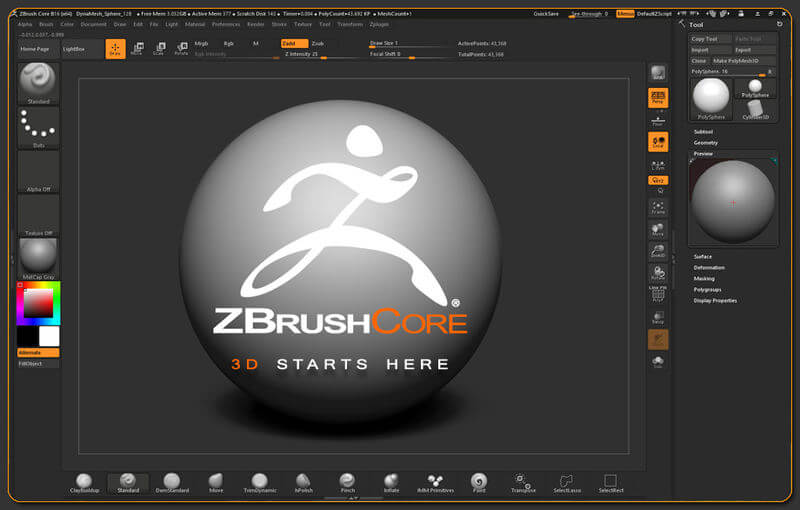
Pixologic has announced the latest version of ZBrushCore, its stripped down version of ZBrush. Features that are now available in ZBrush Core include Sculptris Pro, Subtool Folders, Universal Camera, Thumbnail, Camview, and ZeeZoo.
WHAT’S NEW IN CORE 2020
About ZBrushCore® 2020
ZBrushCore 2020 is a major upgrade that brings new features from ZBrush to users of ZBrushCore.
ZBrushCore 2020 continues in the path of creativity and productivity with major new features allowing artists to work even faster.
Sculptris Pro
Sculptris Pro is a dynamic tessellation sculpting workflow that enables you to ignore the constraints of polygon distribution and just — sculpt!
Sculptris Pro makes it possible for you to begin with any shape or model, whether it has ten polygons or ten thousand. There is absolutely no need to worry about having enough polygons to capture details.
With Sculptris Pro you can simply brush across the surface. Sculptris Pro will dynamically add and reduce polygons wherever and whenever it’s needed, freeing you to focus entirely on the look you’re trying to achieve.
SubTool Folders
Speed up your productivity with the efficient new Folder System. Far more than an organizational tool, this feature also makes it possible to apply actions to all contained meshes at once such as Move, Scale, Rotate, Duplicate, Delete, Hide/Show PolyPaint, Live Boolean and more.
Universal Camera
The camera system is upgraded in ZBrush 2019. Artists can now precisely match the focal length of imported photographs and 3D renders. It is also now possible to export or import the ZBrush camera settings for use in any 3D application, opening the path of rich 2D composited illustrations, using the powerful ZBrush BPR or NPR renderer mixed with other 3D rendering solutions such as KeyShot.
The ZBrush Universal Camera offers complete control over the Focal Length, Crop Factor and more. It supports undo and redo of camera movements. There is even storage of various camera settings, making it easier than ever to find that perfect final composition.
Thumbnail
Being able to clearly visualize a model’s thumbnail or silhouette is essential for making refinements while designing in 3D, as well as for visualizing new shapes.
Thumbnail View is a small window located at the top left of the ZBrush canvas that allows you to view a mirrored thumbnail image of the model with its selected colors and materials, or to optionally use a Silhouette Mode to view the pure forms.
CamView
CamView creates a small 3D figure and links it with whatever model is currently in Edit mode in the ZBrush canvas. This small figure rotates along with the model that you are actively sculpting.
CamView makes it easy to always know where your model sits within the virtual XYZ space. It also offers an interchangeable one-click navigation view which allows you to switch between orthographic view states. (Front-back-left-right-top-bottom)
There are multiple default presets available to choose from. ZBrush also offers the ability to load any model to create your own custom CamView presets.
ZeeZoo
Mannequins have gone wild, with a library of animal figures to help you compose scenes of all kinds.
Source:Pixologic
Hot News
- SIGGRAPH Asia 2026 Takes Shape: Distinguished Keynote Speaker Line-up Unveiled
- Apple Completes App Store Leadership Transition; New Management Pursues Higher Margins, Phil Schiller Steps Back From Day-to-Day Operations
- Apple’s new EU App Store Business Terms Still Violate the Digital Markets Act (DMA).
- Lost and Found Co. Developer Bit Egg Becomes First Game Studio to Win Thailand’s Prestigious Prime Minister’s Export Award
- DRAGONHEIR: SILENT GODS MARKS THIRD ANNIVERSARY WITH COMMUNITY-CREATED HERO AND ORDER VS. CHAOS SHOWDOWN
- China Domestic Animation Summer Season 2026 Review: Box-office Boom for Theatrical Animation, Established Web Series Face Headwinds, AI Man-Dramas Explode for New Growth
- Tianji: Shadow of the Ancients, Coming 2027 to Multiple Global Platforms
- China’s Anime-Goods (“Guzi”) Economy 2026 Market Review